M6 · Agent Memory
Goal: give your agent memory — so it recalls a user's context across turns and even across sessions. You'll use: Foundry's Memory API (memory stores) and the agent
memory_searchtool.
The agents you've built so far are stateless — each call starts from a blank slate. Real assistants remember: "you prefer Python", "you're planning the Aurora launch". Foundry's Memory API gives an agent a durable, per-user memory store: it extracts salient facts from conversations, indexes them semantically, and lets the agent search them on later turns.
The arc: create a store → write memories → recall them → let an agent do it automatically.
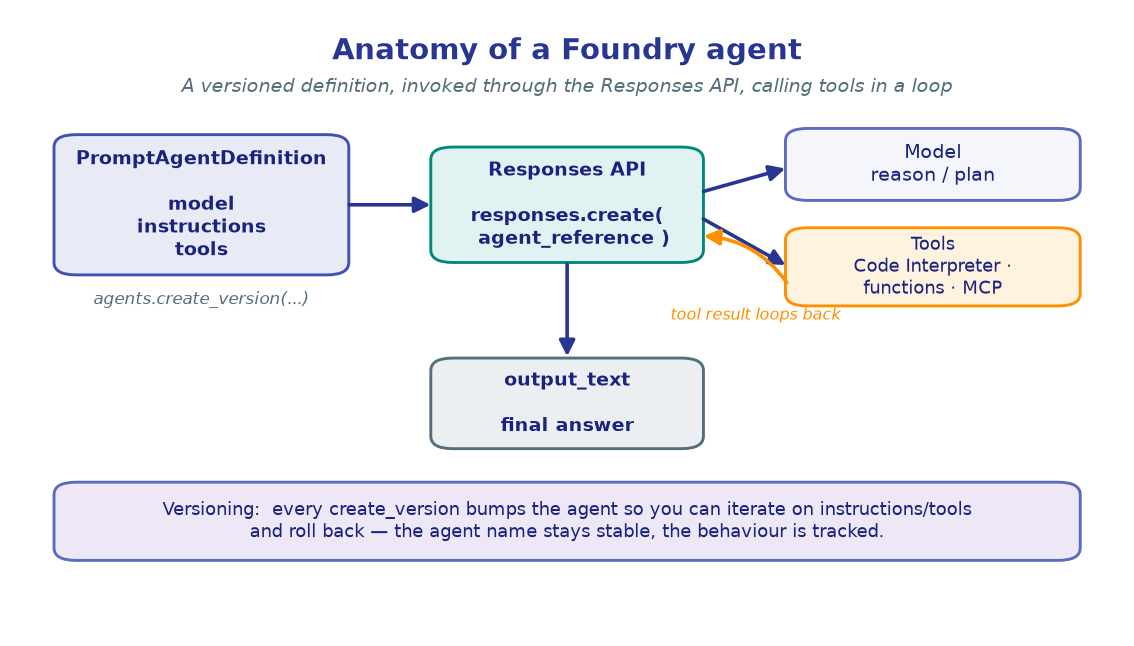
!!! note "Provisioning is conceptual here"
The Memory API needs a chat + embedding model deployed on the project's own
account (it can't use a gateway/BYO model). Our single-project setup already
satisfies that — so there's no infrastructure to stand up; we just create a store
inside the existing project. The Memory API is preview (api-version
2025-11-15-preview); pin azure-ai-projects in pyproject.toml if a shape drifts.
1. Configure
Alongside the usual project variables, we name a memory store and a user scope. The scope is the isolation key — each user's memories live under their own scope, so one user never sees another's.
import os
from dotenv import load_dotenv

load_dotenv()  # reads .env from the repo root

PROJECT_ENDPOINT  = os.environ["PROJECT_ENDPOINT"]
CHAT_MODEL        = os.environ.get("CHAT_MODEL", "gpt-4.1-mini")
EMBEDDING_MODEL   = os.environ.get("EMBEDDING_MODEL", "text-embedding-3-large")

MEMORY_STORE_NAME = os.environ.get("MEMORY_STORE_NAME", "dev-prefs-memory")
USER_SCOPE        = "user_dana"   # per-user isolation key

print("Project :", PROJECT_ENDPOINT)
print("Store   :", MEMORY_STORE_NAME)
print("Scope   :", USER_SCOPE)
print("Models  :", CHAT_MODEL, "+", EMBEDDING_MODEL)
!!! note "Expected output"
Project : https://<account>.services.ai.azure.com/api/projects/<project> Store : dev-prefs-memory Scope : user_dana Models : gpt-4.1-mini + text-embedding-3-large
The store's internal chat/embedding models are what it uses to extract and index
memories — separate from whatever model an agent later runs on.
2. Build the clients
The familiar bootstrap — one credential, the project client, and the OpenAI-compatible client we'll use to invoke the memory-equipped agent later.
from azure.identity import DefaultAzureCredential
from azure.ai.projects import AIProjectClient

credential     = DefaultAzureCredential()
project_client = AIProjectClient(endpoint=PROJECT_ENDPOINT, credential=credential)
openai_client  = project_client.get_openai_client()

print("project_client :", "ready")
print("openai_client  :", "ready")
!!! note "Expected output"
project_client : ready openai_client : ready
3. A tiny Memory API client
The Memory API is a preview REST surface (no dedicated SDK class yet), so we wrap it
in a small helper. Two details matter: it uses the https://ai.azure.com token
audience (not the management plane), and write operations are async — you poll an
update id until it completes.
import time
import requests

class MemoryClient:
    """Minimal wrapper over the Foundry Memory REST API."""
    API_VERSION = "2025-11-15-preview"

    def __init__(self, project_endpoint: str, credential):
        self.base = project_endpoint.rstrip("/")
        self._credential = credential

    def _headers(self) -> dict:
        # Memory API requires the ai.azure.com audience — distinct from management.
        token = self._credential.get_token("https://ai.azure.com/.default").token
        return {"Authorization": f"Bearer {token}", "Content-Type": "application/json"}

    def _url(self, path: str) -> str:
        return f"{self.base}/{path}?api-version={self.API_VERSION}"

    def create_store(self, name, chat_model, embedding_model, description="",
                     user_profile_details="") -> dict:
        requests.delete(self._url(f"memory_stores/{name}"), headers=self._headers())
        payload = {"name": name, "description": description, "definition": {
            "kind": "default", "chat_model": chat_model,
            "embedding_model": embedding_model,
            "options": {"user_profile_enabled": True,
                        "user_profile_details": user_profile_details,
                        "chat_summary_enabled": True}}}
        r = requests.post(self._url("memory_stores"), headers=self._headers(), json=payload)
        return r.json() if r.status_code in (200, 201) else {"error": f"{r.status_code}: {r.text}"}

    def update_memories(self, store, scope, messages, timeout=60) -> dict:
        payload = {"scope": scope, "items": messages, "update_delay": 0}
        r = requests.post(self._url(f"memory_stores/{store}:update_memories"),
                          headers=self._headers(), json=payload)
        if r.status_code not in (200, 202):
            return {"error": f"{r.status_code}: {r.text}"}
        update_id, start = r.json().get("update_id"), time.time()
        while time.time() - start < timeout:            # writes are async — poll
            s = requests.get(self._url(f"memory_stores/{store}/updates/{update_id}"),
                             headers=self._headers())
            if s.status_code == 200 and s.json().get("status") == "completed":
                return s.json()
            time.sleep(2)
        return {"error": "timeout"}

    def search_memories(self, store, scope, query, max_results=5) -> dict:
        payload = {"scope": scope, "query": query, "max_num_results": max_results}
        r = requests.post(self._url(f"memory_stores/{store}:search_memories"),
                          headers=self._headers(), json=payload)
        return r.json() if r.status_code == 200 else {"error": r.text}

memory = MemoryClient(PROJECT_ENDPOINT, credential)
print("memory client :", "ready")
!!! note "Expected output"
memory client : ready
A 401 here usually means the wrong token audience — confirm it's
https://ai.azure.com/.default, not the management endpoint.
4. Create a memory store
The store is the per-project container for memories. user_profile_enabled tells it to
maintain a structured profile per scope; chat_summary_enabled lets it summarise
conversations into durable facts. It uses the models you pass to do that extraction.
result = memory.create_store(
    name=MEMORY_STORE_NAME,
    chat_model=CHAT_MODEL,
    embedding_model=EMBEDDING_MODEL,
    description="Developer preferences and working context.",
    user_profile_details="Preferred languages, tools, OS, and answer style.",
)

if "error" not in result:
    print(f"Memory store '{MEMORY_STORE_NAME}' created.")
    print(f"  chat model      : {CHAT_MODEL}")
    print(f"  embedding model : {EMBEDDING_MODEL}")
else:
    print("Error:", result["error"])
!!! note "Expected output"
Memory store 'dev-prefs-memory' created. chat model : gpt-4.1-mini embedding model : text-embedding-3-large
create_store deletes any existing store of the same name first, so this cell is
safe to re-run while iterating.
5. Turn 1 — write memories
Feed the store a short conversation. Its model reads the exchange and extracts durable
facts (not the raw transcript) under the user's scope. We format messages with a tiny
helper that matches the Memory API's input_text / output_text shape.
def build_conversation(user_text: str, assistant_text: str) -> list:
    return [
        {"type": "message", "role": "user",
         "content": [{"type": "input_text", "text": user_text}]},
        {"type": "message", "role": "assistant",
         "content": [{"type": "output_text", "text": assistant_text}]},
    ]

turn1 = build_conversation(
    "I work mostly in Python and I like short, code-first answers. "
    "I'm on VS Code / macOS.",
    "Got it — Python, concise code-first answers, VS Code on macOS. I'll remember that.",
)

result = memory.update_memories(MEMORY_STORE_NAME, USER_SCOPE, turn1)
if "error" not in result:
    print("Memories extracted:")
    for m in result.get("memories", []):
        print(f"  • {m.get('content', m)}")
else:
    print("Error:", result["error"])
!!! note "Expected output"
Memories extracted: • Prefers programming in Python • Likes short, code-first answers • Uses VS Code on macOS
Notice it stored facts, not the verbatim sentence — that's the extraction step
doing its job. The write is async; our helper polled until it completed.
6. Recall — search the memories
Querying the store by scope returns the facts most relevant to the query. This is the exact retrieval an agent will perform under the hood — and because results are scoped, a different user's query would return their own memories, never Dana's.
hits = memory.search_memories(
    MEMORY_STORE_NAME, USER_SCOPE,
    query="What are this developer's coding preferences?",
)

print("Recalled for", USER_SCOPE, ":")
for m in hits.get("memories", []):
    print(f"  • {m.get('content', m)}")
!!! note "Expected output"
Recalled for user_dana : • Prefers programming in Python • Likes short, code-first answers • Uses VS Code on macOS
!!! tip "Scope is the isolation boundary"
Memories never leak across scopes. In production you set scope="{{$userId}}" in the
agent definition and Foundry resolves it server-side from each caller's Entra
token — so every signed-in user automatically gets their own isolated memory.
7. Give an agent memory — recall across turns
Now the payoff. Attach the memory_search tool to an agent, pointed at the store and
scope. The agent automatically searches memory before answering and writes new
memories after (update_delay controls the lag). Watch it carry context across two
separate Responses API calls — no chat history passed between them.
from azure.ai.projects.models import PromptAgentDefinition

agent = project_client.agents.create_version(
    agent_name="dev-buddy",
    definition=PromptAgentDefinition(
        model=CHAT_MODEL,                       # deployed on this account (memory needs that)
        instructions=("You are a developer's assistant. Always call the memory tool "
                      "before answering, and tailor recommendations to what you recall "
                      "about the user's languages, tools, and preferred answer style."),
        tools=[{"type": "memory_search",
                "memory_store_name": MEMORY_STORE_NAME,
                "scope": USER_SCOPE,
                "update_delay": 1}],
    ),
    description="Assistant with per-user memory via the memory_search tool.",
)
print(f"Agent 'dev-buddy' ready (version {agent.version}).\n")

ref = {"agent_reference": {"name": agent.name, "version": agent.version,
                           "type": "agent_reference"}}

# Turn 2 — a brand-new call with NO prior messages. It recalls from the store.
resp = openai_client.responses.create(
    input="Recommend a way to parse JSON for me.",
    extra_body=ref,
)
print(resp.output_text)
!!! note "Expected output" ``` Agent 'dev-buddy' ready (version 1).
Since you're in Python and like it code-first, here's the concise way:

    import json
    data = json.loads(text)          # str  -> dict

`json` is in the standard library, so nothing to install on macOS / VS Code.
```
The agent never saw turn 1 in *this* call — it pulled "Python", "code-first", and
"macOS" straight from the **memory store**. That's cross-turn (and cross-session)
memory.
🧪 Your turn
- Teach it something new. Make a call that states a fresh preference ("I've switched to type hints everywhere"), wait a couple of seconds for extraction, then ask a follow-up in a new call and confirm the agent honours it.
- Prove isolation. Re-create the agent with
scope="user_sam"and ask the same recommendation question — it should not know Dana's preferences. - Go production-style. Set
scope="{{$userId}}"in the agent definition (resolved from the caller's Entra token) and note how a single agent version serves every user with isolated memory.
✅ You created a memory store, wrote and recalled memories, and built an agent that remembers a user across turns. Next: coordinate several specialised agents. → M7 · Multi-Agent Orchestration